
How to build aluminum extrusion for manufacturing table?
I recently designed and built a manufacturing table using aluminum extrusion, and I found out the success depended on choosing the right profile, adding the right bracing, choosing the top mounting points correctly, and optionally adding casters for mobility.
With careful selection of profiles, proper bracing, good mounting, and casters if needed, you can build a strong, flexible manufacturing table from aluminum extrusion.
In this article I’ll walk you through: what profiles suit the frame, why bracing matters for rigidity, how to pick mounting points for the tabletop, and how casters can make the workstation mobile.
What profiles suit worktable frames?
When building a manufacturing table, the profile you pick sets the foundation. I started with selecting a series that matches load, span, and modularity needs.
Good profiles for worktable frames are T-slot aluminum extrusions sized to handle the load and span, such as medium-duty 45×90 mm or heavy-duty 90×90 mm systems.

Choosing the right profile size
Using a small profile like 20×20 mm for a wide span often leads to excessive deflection. Medium-to-heavy profiles like 45×90 mm provide the stiffness needed for robust applications. Always match profile size with table size and expected load.
Wall thickness and section shape
Thicker walls increase strength and reduce deflection. Profiles with more internal structure (multiple cavities) are more stable under torsion and bending. If you expect heavy tools or machinery, use profiles with higher section modulus and moment of inertia.
Modular compatibility
Choose profiles with standardized slot sizes to accept common T-nuts, brackets, and joining plates. This ensures you can easily assemble, disassemble, and modify the table in the future.
Tabletop support profiles
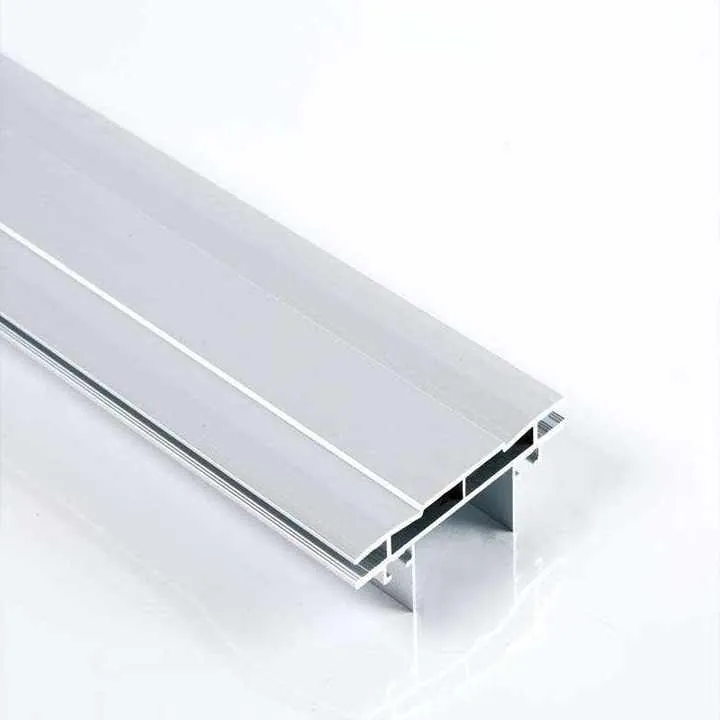
For the surface, consider aluminum plate extrusions that include built-in T-slots. These let you mount fixtures, clamps, or parts directly to the surface, which is ideal for manufacturing.
| Profile Size | Typical Use Case | Notes |
|---|---|---|
| 20×20 mm | Light-duty or side framing | Not ideal for table structure |
| 45×45 mm | General workbench frames | Moderate rigidity |
| 45×90 mm | Manufacturing table base | Good stiffness |
| 90×90 mm | High-load frame support | Best for heavy setups |
| Table plate | Top surface & fixture mounting | Add ribs for rigidity |
Small 20×20 mm profiles are best for heavy manufacturing table frames.False
They lack the strength and stiffness needed for load-bearing applications.
Profiles with thicker walls and higher internal structure offer better rigidity for table frames.True
Thicker walls and internal cavities increase section modulus and resistance to bending.
Why bracing improves table rigidity?
I learned early that even with the right profiles, without proper bracing the table would twist, sag or vibrate—especially during machining or manufacturing operations.
Bracing adds rigidity by reducing flex, resisting torsion, and making the frame behave as a single solid structure rather than a loose assembly of beams.

What bracing does
- Prevents frame distortion under load.
- Reduces deflection across long spans.
- Minimizes vibration from attached machines.
- Increases stability and durability.
Types of bracing
- Cross-members: Horizontal beams beneath the tabletop to reduce span length.
- Diagonal braces: Help resist racking or twisting forces, especially in corners.
- Gussets and corner plates: Strengthen joints and reduce shifting.
- Under-table lattice: A grid-style subframe adds consistent support across the table surface.
When to use bracing
- When table length exceeds 1200 mm.
- When mounting machines or tools that vibrate.
- When exact flatness is required.
- When moving the table regularly (to prevent loosening).
Frame layout example
| Component | Function |
|---|---|
| Side rails | Outline and shape the table |
| Leg profiles | Vertical load support |
| Cross-members | Reduce deflection and span length |
| Diagonal braces | Prevent torsional distortion |
| Gussets/plates | Reinforce joint connections |
Adding cross-members and diagonal braces reduces deflection and improves frame rigidity.True
Bracing distributes load and prevents structural distortion.
Bracing is unnecessary if heavy profiles are used in the frame.False
Even large profiles can flex under load without adequate bracing.
How to select table top mounting points?
The way you mount the tabletop and the points you choose for fixtures matter a lot. I had to think about where the top plate connects, how the tools mount, and how the loads transfer into the frame.
Select mounting points that align with the internal frame supports, use the T-slots for flexibility, and ensure the mount locations correspond to load paths and fixture needs.

Mounting the tabletop
Use fasteners through the T-slots in the table frame to secure the tabletop. Spread the mounting points evenly and align them over cross-members. If your tabletop is solid aluminum or MDF, drill holes that align with the frame underneath for bolted connections.
Fixture and tool mounting
Use T-slot table plates to allow for adjustable tool placement. Make sure any heavy equipment sits directly above frame supports. This prevents sagging and uneven loading.
Common mistakes
- Mounting tabletop only at corners: leads to sagging.
- Placing heavy tools in unsupported areas: causes bending and failure.
- Using short screws or few fasteners: leads to shifting or detachment.
Tabletop mounting guide
| Mounting Type | Best Use | Risk if Improper |
|---|---|---|
| Direct bolt | Heavy tools/machinery | Weak if off-beam |
| T-nut + bolt | Modular clamps and jigs | Secure if evenly spaced |
| Adhesive pad | Temporary fixtures | Not for load-bearing use |
| Side bracket | Lifting frame to panel | Can fail if not reinforced |
Heavy tools should be mounted near frame intersections or cross-beams for best load support.True
Mounting over a support beam distributes weight effectively and reduces bending.
You can mount a tabletop by fastening only the corners without bracing.False
This causes sagging and uneven support, especially for large or heavy tops.
Can casters add workstation mobility?
Mobility can be a big plus in manufacturing environments. I decided to add casters so our table could be repositioned, but I learned that mobility adds its own design considerations.
Yes — adding heavy-duty casters to an aluminum extrusion table allows mobility, but you must ensure the casters are rated for load, lock securely, and the frame is reinforced for the added stresses of movement.
Benefits of casters
- Easy repositioning of the workstation.
- Cleaner workspace management.
- Adaptability for multi-stage processes.
Choosing the right casters
- Choose casters rated for at least 25% more than total table weight.
- Use swivel casters with locks to secure the table when stationary.
- Use leveling casters to stabilize the frame and prevent rocking.
Where and how to mount
- Casters should be mounted at the leg bottoms with corner plates or caster mounting feet.
- Add internal bracing at the bottom to distribute caster force into the frame.
- If needed, add outriggers or lower support frames to reduce tipping risk.
Things to avoid
- Mounting directly to thin profile ends without support.
- Using small casters on uneven floors.
- Skipping locks—this causes tools to shift or move.
Caster integration plan
| Caster Type | Load Rating | Locking | Use Case |
|---|---|---|---|
| Swivel locking | 200–300 kg | Yes | General factory use |
| Leveling caster | 300–400 kg | Yes | Machining or tool tables |
| Fixed caster | 150–250 kg | No | Straight-line movement only |
Locking and leveling casters are best for ensuring workstation stability while allowing movement.True
Locking prevents shifting and leveling ensures stability on uneven floors.
Casters can be added without reinforcing the base of the table frame.False
Without reinforcement, casters can stress joints or cause instability when moving the table.
Conclusion
In building an aluminum-extrusion manufacturing table I found that choosing the right profile size, adding proper bracing, selecting mounting points over structural support, and adding casters thoughtfully all matter. By following these steps you can create a table that is strong, flexible and mobile—ready to serve in a demanding manufacturing environment.