
what cad programs have aluminum extrusions?
I keep running into engineers asking: which CAD programs support aluminium extrusion profiles and libraries? The short answer: many do — and knowing which one helps you design faster with structure frameworks.
Many CAD programs support aluminium extrusions either via built‑in libraries, add‑ons or parametric profile import tools.
From structural design tools to general part libraries, you’ll find support.
Let’s break down how to find and use these extrusion tools.
Which CAD libraries include extrusion profiles?
CAD programs like SolidWorks, AutoCAD, FreeCAD, IronCAD, and Fusion 360 support aluminium extrusion profiles through integrated or downloadable libraries.
They often come in STEP or native part file formats for quick import.
Many CAD libraries specialise in extrusions. For example, 80/20 offers downloadable drawing files for its T-slot framing systems. FreeCAD’s community also hosts user-generated aluminium profiles. IronCAD includes structural libraries for frames and extrusions directly inside the program. Some libraries are manufacturer-specific and provide extrusions in a variety of file formats.
These libraries often include:
- Standard shapes like 2020, 4040, 8080 T-slot profiles
- Rectangular or round tubes
- Mounting brackets, corner joints, and connectors
This makes it easier to design entire frameworks without redrawing the basic geometry.
| CAD Program | Library Support | Typical Profile Types |
|---|---|---|
| SolidWorks | Add-ins + third-party | T-slot, tubing, channels |
| Fusion 360 | Cloud import / McMaster | T-slot, brackets, mounts |
| AutoCAD | DWG blocks / vendor packs | Channels, rectangles |
| FreeCAD | Open source libraries | All basic extrusion shapes |
| IronCAD | Built-in structural tool | Profiles + connectors |
CAD libraries that include aluminium extrusion profiles help accelerate design by providing ready geometryTrue
Pre-built profiles reduce modeling time and eliminate repetitive sketching for standard shapes.
No CAD libraries currently include aluminium extrusion profiles and you must always model them yourselfFalse
Several CAD platforms offer built-in or downloadable extrusion profiles.
Why engineers import ready-made profiles?

Engineers use ready-made extrusion profiles to save time, ensure accuracy, and simplify assembly work.
It improves design speed and reduces errors.
Using manufacturer-provided or standard extrusion profiles brings several benefits:
- Guaranteed dimension match with real-world parts
- Faster integration into frames, brackets, and mounts
- Easy bill of materials generation
- Eliminates guesswork when modeling standard parts
- Supports standard fastener compatibility
Engineers avoid mistakes by importing what is already verified. For example, a 40x40mm T-slot profile will come with the correct slot width, corner radius, and wall thickness. This makes fastener selection and bracket design more accurate.
The ability to drag and drop these profiles into CAD assemblies—especially in software like IronCAD or Fusion 360—helps with building frames for workstations, machine guards, or enclosures. This method speeds up design cycles and aligns with vendor catalogs.
However, engineers still need to:
- Check the alloy type (6061, 6063)
- Confirm the finish (raw, anodized, painted)
- Validate that imported dimensions match supplier versions
- Avoid modifying critical slot features unless tested
Importing ready-made profiles reduces modelling time for extrusionsTrue
Ready-to-use CAD files eliminate the need to sketch and extrude custom profiles.
Importing ready-made profiles always guarantees perfect manufacturing compatibilityFalse
Imported files must still match supplier specifications for alloy, tolerances, and finish.
How to add extrusion libraries into CAD?
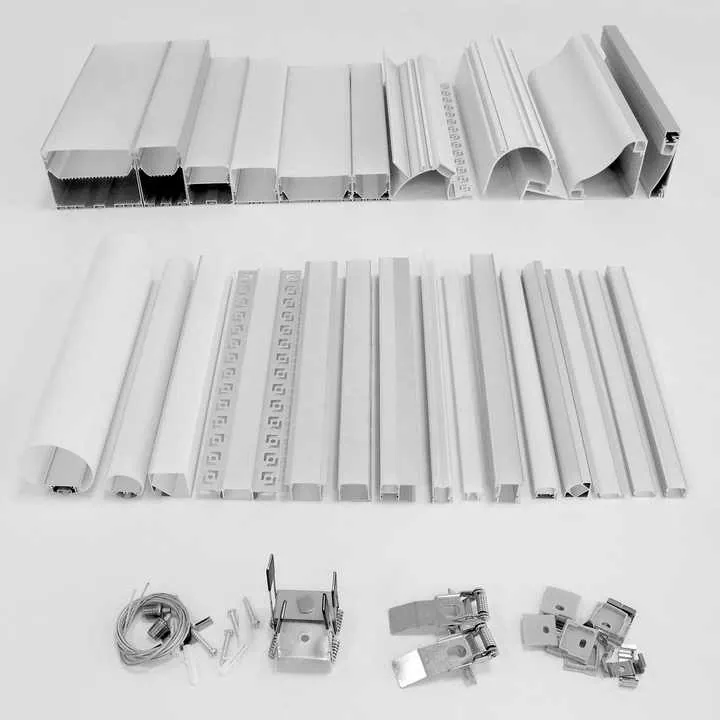
To add extrusion libraries into CAD, you download parts from vendors or community libraries and import them into your workspace or create a custom part database.
This lets you reuse profiles quickly.
Adding extrusion libraries into your CAD environment usually involves these steps:
-
Download Profile Files
Most vendors offer STEP, IGES, or native files for their profiles. These can be downloaded from manufacturer websites or CAD sharing platforms. -
Import Into CAD
Use the “Insert Component” or “Import File” function in your CAD program. Most CAD tools can open neutral file formats like STEP or convert them into editable parts. -
Organize as a Local Library
Store all extrusion files in a dedicated library folder. Label them with part numbers, sizes, and materials for easy searching later. -
Create Assemblies
Include brackets, corner joints, fasteners, and end caps alongside profiles. These components often come from the same vendor and are designed to fit precisely. -
Parameterize When Needed
For adjustable-length profiles, add parameters or use configuration tools to change profile length during assembly. -
Attach Metadata
Include part number, material grade, finish, and supplier name in each file’s metadata for proper BOM generation.
| Step | Description |
|---|---|
| Download | From supplier or CAD site (STEP/IGES/native) |
| Import | Load into CAD with import tool |
| Library setup | Create folders and name conventions |
| Add accessories | Include brackets, caps, fasteners |
| Parameterize | Enable length and hole edits |
| Metadata | Tag with supplier info and finish type |
You can add vendor-provided aluminium extrusion profiles into your CAD as library partsTrue
Vendor files can be organized into local or cloud CAD libraries.
Adding a library profile into CAD eliminates the need to set any parametric parametersFalse
Users often still need to define length, holes, or mating constraints.
Can parametric tools modify profiles?
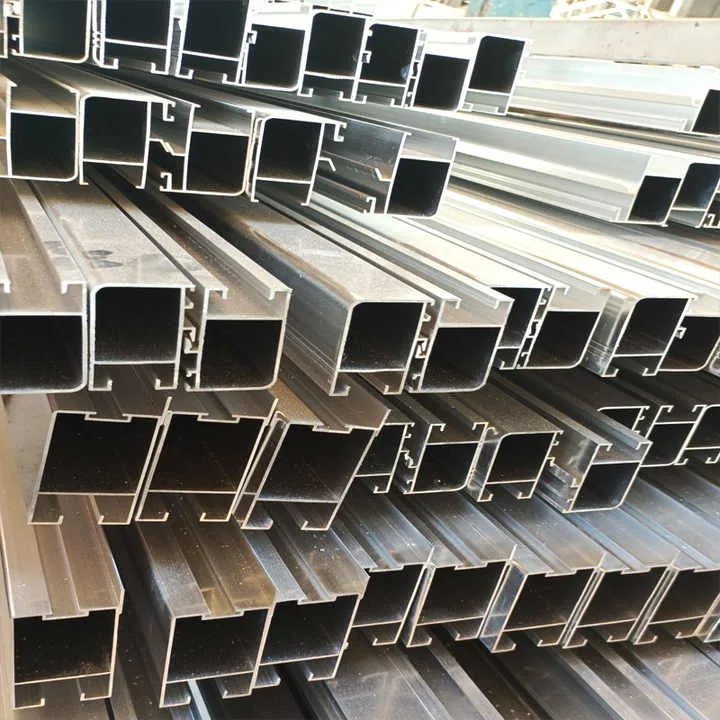
Parametric CAD tools allow engineers to edit aluminium extrusion length, add holes, and create custom variants based on standard profiles.
This makes reuse and adjustment simple.
Parametric modeling gives control over:
- Length of profile (L)
- Position of mounting holes
- Cutouts or slots for brackets
- Edge features and chamfers
You can use parameters like:
- L = total length (in mm)
- D = diameter of mounting hole
- S = slot width
A single base profile can then be reused for multiple purposes—guard rails, machine frames, control panels—by adjusting those values. Tools like SolidWorks and Fusion 360 support configurations or equations to drive this flexibility.
It’s also possible to create:
- Families of profiles (e.g., 2020, 2040, 4040)
- Cut length tables for fabrication
- Hole spacing patterns based on profile length
This keeps your assemblies adaptable and reduces part duplication.
Still, there are limits:
- Complex vendor shapes may not convert easily to parametric form
- Over-modifying the shape can break fit with accessories
- Tolerances must be maintained when editing features
Parametric CAD tools can modify aluminium extrusion profiles such as length and slot dimensionsTrue
Parametric values allow precise control over common profile features.
You cannot modify any dimension of an imported aluminium extrusion profile in CADFalse
If imported as editable geometry, dimensions can be changed using parametric features.
Conclusion
Aluminium extrusion design is well-supported across CAD platforms using built-in libraries, vendor files, and parametric tools. You can download profiles, build libraries, and customize your parts quickly. Ready-made profiles improve accuracy, speed up your work, and make sure your designs align with real-world materials.